8 Best Liquor Store POS Systems for Multi-Location Retailers

Best Liquor Store POS Systems in 2026

Today, running or managing a liquor store means sailing one of the functionally complex retail categories. According to the Distilled Spirits Council, U.S. spirits supplier sales totaled $37.2 billion in 2024, underscoring the expansive nature of this highly compliance-focused sector. But behind those impressive numbers is the everyday reality that liquor store owners face. It includes dealing with 1000 to 3000+ SKUs with case-to-bottle inventory splits, wine classification, age-verification requirements, and mix-and-match pricing structures that generic retail point-of-sale software simply can’t handle. Moreover, when you have more than one liquor store to deal with, things become complex and challenging.

Multi-store alcohol retail requires a highly specialized, hyper-focused technology infrastructure. Finding the best liquor store pos system for an enterprise business means looking past basic checkout features and prioritizing deep operational infrastructure. In this detailed guide, we will break down exactly what makes multi-location liquor POS software different, with a head-to-head comparison of eight leading solutions, key features you can’t skip, and the critical questions to ask any vendor before signing.

What Makes Multi-Location Liquor Store POS Different? (Must-Have Features)

  • Remote Control Over All Locations:

The biggest advantage of a modern cloud-based liquor store POS system is centralized management.

You should be able to:

  • Update pricing across all stores quickly
  • Push new products to every location at once
  • Monitor live sales from a main dashboard
  • Adjust employee permissions remotely
  • Track inventory transfers between stores

For owners managing multiple stores, this removes the weight of visiting different locations for common functional changes.

  • Smart “Case-Break” Tracking:

This is the feature that differentiates a liquor-specific POS from everything else. Liquor stores routinely sell by the bottle, the six-pack, and the case — and the inventory math has to stay clear across all three.

A Liquor Store POS System should automatically:

  • Break cases into single units
  • Maintain precise bottle-level inventory
  • Track cost per bottle and per case
  • Avoid inventory gaps after partial case sales

This function is required for current inventory counts and cost controls.

  • ID Scanning to Protect Your Liquor License:

In the liquor industry, compliance is a non-negotiable requirement.

Your POS system should support:

  • Government-issued ID scanning
  • Age validation prompts
  • Transaction-level verification logs
  • Manager approval controls
  • Regulatory reporting for inspections

When you opt for a POS for Liquor Stores that has automated ID verification, it lowers the human errors and helps protect your liquor license from costly penalties.

  • A Single Dashboard for All Sales:

When you have to manage more than one liquor store, a single dashboard is a must. Multi-location retailers require integrated reporting without losing store-level information.

The ideal Liquor Retail POS System should provide:

  • Sales reporting across all locations
  • Store-by-store performance analysis
  • Top-selling brands and SKUs across locations
  • Actual timing inventory clarity
  • Workforce and sales analytics
  • Profit margin monitoring

With a single dashboard, liquor store owners can quickly recognize trends, lagging stores, and stock availability.

Comparing the Top 8 Liquor POS Systems

POS SystemBest ForMulti-Location StrengthLiquor-Specific ToolsPricing FlexibilityVerdict
RetailzPOSDeveloping alcohol retail chainsExcellent centralized controlStrong liquor-focused featuresContact us for a quoteBest overall for multi-location liquor stores
KORONA POSCompliance-heavy retailersStrong chain managementSolid liquor compliance tools~$59/month per locationGreat for operational control
LightspeedHigh-volume retailAdvanced reportingLimited liquor specialization~$89/monthStrong analytics, less liquor-focused
HelcimPayment-first businessesBasic multi-location supportMinimal liquor featuresInterchange + onlyBetter for general retail than liquor
SquareSmall independent storesEasy to useBasic inventory onlyFree (+ processing)Good starter option
NRSConvenience + liquor storesModerate chain featuresSome liquor-friendly functions~$29.99/monthUseful for mixed-format retailers
BottlePOSLiquor-only operationsDesigned for bottle shopsStrong liquor inventory toolsContact us for a quoteGood niche solution
CloverSmall to mid-size storesIt depends on the app ecosystemLimited native liquor tools~$14.95/month + hardwareFlexible hardware, mixed software experience

RetailzPOS

Overview:
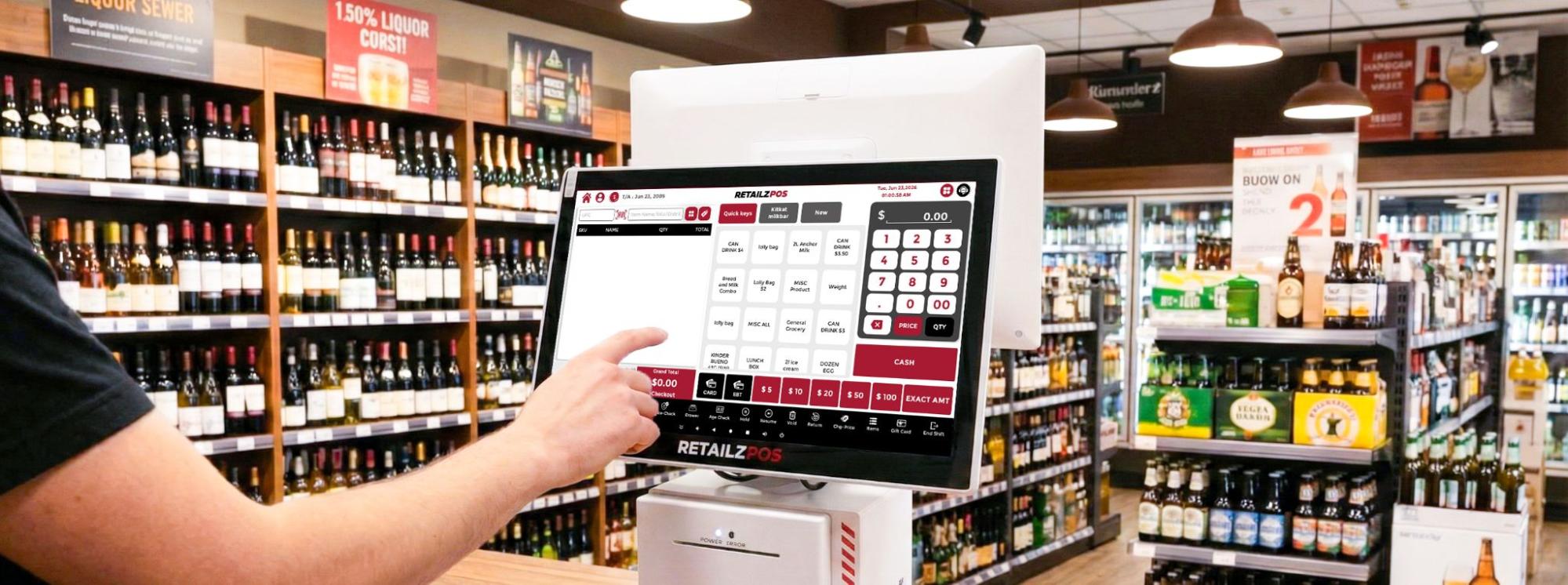
RetailzPOS is specifically designed to manage high-volume, extremely complex, multi-location industries such as liquor stores, convenience stores, CBD stores, and smoke shops. It has built-in advanced liquor tools directly into its core framework. The cloud-based Liquor Store Management Software allows store owners to manage inventory counts, labor performance, and profit calculations across 10+ locations simultaneously from a single central location.
Best Liquor Store POS Systems in 2026 Comparison Table

Key Multi-Store POS System Features

  • Automatic Inventory Cascading- Instantly updates stock counts whenever a case is broken into singles or multi-packs.
  • EDI Invoicing – Intelligently maps, verifies, and integrates digital vendor files (TXT/CSV) directly into your back office in 2–3 hours.
  • RAI – A 24/7 built-in intelligent assistant providing instant back-office support, troubleshooting answers, and step-by-step training guidance.
  • NVR (Network Video Recorder Integration) – Overlays real-time register transaction data onto your security footage to instantly detect errors and prevent shrinkage.

Pros:

  • AI-powered back office (RAI) reduces manual admin time
  • Intuitive interface with a low training curve for staff
  • Powerful Liquor Inventory Management Software suited to high-SKU liquor stores
  • Cloud-based with remote access across all locations

Verdict: The complete best all-around software for a multi-location liquor business. It offers the perfect mix of deep, specialized alcohol inventory tools, robust loss prevention, and complete processing freedom.

KORONA POS

Overview:
KORONA POS is one of the leading cloud-based liquor store POS systems made for large-scale retail environments, amusement parks, multi-location branches, and big liquor stores. Its operational hub is built for significant growth, allowing you to organize your stores into custom location groups, manage complex asset distribution, and simplify royalty tracking.

Features:

  • Automated Min/Max Stock Optimization
  • Location-Specific Threshold Rules
  • Auto-Generated Purchase Orders
  • System Locked Age Verification
  • Basic item matrix sorting

Pros:

  • Processor-agnostic — choose or switch payment processors freely
  • Extended free trial with money-back guarantee
  • Built-in age verification and compliance tools out of the box
  • Highly Flexible pricing model as you add locations

Verdict: This Liquor Store Point of Sale System is a strong choice for large, expanding retail franchise operations that prioritize absolute software speed, stability, and predictable billing over niche, out-of-the-box liquor workflows.

Lightspeed

Overview:
Lightspeed is a highly evolved, beautifully designed cloud retail point-of-sale system that excels in inventory monitoring and high-end omnichannel commerce. The POS offers a polished multi-site management solution, authorizing teams to centrally develop and selectively arrange the product database across multiple locations. Thus, maintaining strict user access controls over store managers.
Features:

  • Advanced Inventory tracking
  • Vintage and SKU tracking
  • Origin-Based Cataloging
  • Flexible Product Classification

Pros:

  • Embedded e-commerce for easy click-and-collect ordering
  • Sleek, modern interface that makes staff training incredibly fast
  • Premium, built-in advanced reporting and data analytics tools

Verdict: A premium, polished, data-rich choice for high-end wine and spirits boutiques with a heavy focus on elegant e-commerce and local delivery, provided you are fully comfortable committing exclusively to their payment network.

Helcim

Overview:
Helcim takes a completely novel approach to the POS market by positioning itself as a customer-first, clear financing services provider that offers its retail software away for free. The Helcim POS system offers clean, multi-device cloud synchronization, allowing store owners to track sales pipelines across various storefronts from the unified dashboard.

Pros:

  • Unmatched pricing transparency with zero monthly software subscription fees.
  • Built-in Interchange-Plus processing rates that lower automatically as your sales volume grows.
  • Highly cost-effective for multi-store networks looking to cut fixed software costs.

Verdict: Helcim is an affordable POS system for multi-location liquor stores with simpler operational structures that want to remove monthly software subscription bills and protect their processing margins.

Square

Square is the best-known name in small business POS, and for good reason. It’s fast to set up and free at the entry level. Their expanded “ Square for Retail” software tier helps independent retailers to manage inventory across various locations. The Square offers a flawless, clean, centralized cloud dashboard. You can easily track multi-store stock levels, quickly view actual time trade tables from your phone, and can transfer items between locations with a few clicks on the spot.

Pros:

  • Instant setup with a nearly zero-day learning curve for staff
  • Beautifully designed, reliable hardware like the all-in-one Square Register
  • Seamless built-in tools for automated customer loyalty programs and digital marketing

Verdict: The Square POS is ideal for temporary pop-up shops, micro-chains, or beginner retailers with low volume who value quick setups above everything else. It lacks the depth and security required for high-traffic business environments.

NRS

NRS is a pos platform specifically designed for independent retailers, urban convenience hubs, and mid-sized liquor outlets nationwide. It comes bundled with the NRS Pay processing network and includes integrated advertising capabilities through its BR Club rewards program. The pos system offers robust, high-volume register synchronization, enabling multiple checkout lanes to stay connected through a centralized management dashboard.

Key Features:

  • ID Check Prompts
  • Customer Loyalty Rewards
  • Built-in Rebate Tracking
  • ScanData Integration

Pros:

  • Highly durable, industrial-grade hardware built to survive spills and heavy abuse.
  • Exceptionally reliable register network performance during busy shifts.
  • Rugged design that stands up to constant, high-volume checkout wear and tear.

Verdict: A tough, secure, and reliability-focused solution made for large individual liquor stores and urban multi-lane convenience hubs where hardware toughness and strict staff isolation are top priorities.

BottlePOS

BottlePOS is one of the few software programs that serve independent package stores and wine retailers. Every feature in the system was created with the liquor store operator in mind — from case pricing to vendor invoice matching. The pos features a clean, cloud-enabled back-office suite that lets you log in from anywhere to review your inventory insights and evaluate store health.

Key Features:

  • Automatic Inventory Reordering
  • ID Verification Prompts
  • BottleCapps Integration for Online Orders and Delivery

Pros:

  • Highly intelligent, automated tools to shift processing costs away from your margins
  • Clean, focused interface built exclusively around standard liquor store workflows
  • Built by a team with deep, dedicated expertise in the beverage alcohol industry

Verdict: Bottle POS is incredibly smart, specialized niche software for single operators or family businesses running 1-2 boutique neighborhood package stores who want automated stock tracking.

Clover

Clover is a big player in the traditional point-of-sale industry, mostly known for its beautiful, sleek, high-end touchscreens and heavy distribution through traditional banking institutions. The virtual terminal hub enables you to view basic multi-device performance, handle global item categories, and track employees in and out across different physical storefront locations.

Pros:

  • Stunning, design-forward hardware that quickly fastened your checkout counters
  • Massive third-party app marketplace providing endless customization options.
  • Greatly acknowledged, user-friendly customer interface.

Verdict: Clover is a beautiful hardware solution that works well for standard retailers, but becomes too costly and disconnected for high-volume multi-location liquor stores. Moreover, it is highly dependent on third-party app subscriptions.

Which Should You Choose?

Choosing the right point of sale system ultimately comes down to finding a platform that matches the size, complexity, and needs of your operation.

  • Choose RetailzPOS if you want the complete all-in-one software package for multi-location liquor, convenience, or smoke shops. It gives you the advanced inventory management tools, integrated loss-prevention camera text tools (NVR Integration), and freedom to select your own payment processor.
  • KORONA POS is best suited for large franchise groups and multi-state retail chains. If predictable monthly software costs and franchise royalty management are top priorities, it’s one of the strongest options on the market.
  • Choose Lightspeed Retail if your focus is on premium merchandising and online sales. It’s particularly well suited for wine and spirits retailers that need detailed product categorization and a professional, customer-friendly e-commerce experience.
  • Choose Helcim if you’re an independent retailer expanding to a handful of locations and looking to keep operating costs under control. Its subscription-free software and transparent Interchange-Plus pricing make it an attractive option for businesses focused on minimizing overhead as they grow.
  • Choose Square for Retail if you’re launching a pop-up shop, seasonal store, or small boutique and need to get up and running quickly. Its direct interface, quicker setup process, and modern hardware make it a strong fit for retailers that value simplicity over highly specialized inventory management.

The Best All-Around Choice for Multi-Location Liquor Stores: RetailzPOS

Running a liquor business with multiple stores is hard. Your profits are small, the rules are strict, and managing stock from different distributors is a constant headache.

Most general POS systems force you to make bad compromises. They either lock you into expensive credit card processors or make you buy extra apps just to track simple things—like breaking open a case of beer to sell single cans. RetailzPOS is different. It is the most popular pos system for a liquor store, which comes with built-in specific features related to the alcohol industry.

Easy Stock Management and Automatic Invoices

The best part about RetailzPOS is how much manual work it cuts out for your staff. Usually, when a big shipment arrives, someone has to type every single bottle and price into the computer. RetailzPOS connects directly to your distributors. It brings in the invoices automatically and updates your costs straight away.

It also processes split inventory easily. If you buy a 24-pack of beer but sell it as individual six-packs or single cans, the system on its own subtracts the right amount from your stock. You don’t have to do any confusing math or track missing bottles on a clipboard.

Extra Ways to Protect Your Profits

In the liquor industry, making money often depends on finding extra savings. RetailzPOS has internal ScanData tools. This means the system by itself sends your sales data to big tobacco and alcohol brands so you can get paid manufacturer refunds. It allows retailers to easily participate in brand-sponsored discount programs that can return meaningful revenue directly to your business.

Additionally, RetailzPOS offers a built-in Dual Pricing feature designed to help retailers lower their merchant service expenses. Instead of seeing credit card processing fees as a fixed loss, the system allows you to clearly and compliantly display two price points at checkout. One a standard price for card transactions and other a discounted price for cash customers.

When implemented in full conformity with state regulations and card network guidelines, a dual-pricing program can remove up to 90% or more of your credit card processing fees.

Final Words

You’ve built a real, growing business. Your multi-store POS software should match that ambition, not hold it back with manual work arounds and hidden add-ons.

Most liquor retailers don’t realize how much time and money their current software is costing them—until they finally switch to a system built specifically for high-volume, multi-location alcohol retail.

  • Ready to see our automated multi-store dashboard in action?
    [Click Here to Book Your Free Personalized RetailzPOS Demo Today]

FAQs

1. How many of your customers are liquor stores specifically?
If liquor stores make up less than 10% of their active user base, don’t go for it. You don’t have to be the test subject for their system that hasn’t been proven against complicated state liquor laws or inventory issues. You should look for a vendor with hundreds of dedicated portable alcohol distributors who understands the everyday language of split-case breaks, allocated units, and legal checks.

2. Can your system run a mix-and-match promotion across product categories locally?
The liquor store owners depend heavily on flexible product bundling, for example, buy any 6 individual 750ml bottles of wine and get 10%off, or mix and match any four craft single cans for $12. A standard POS often requires manually creating a separate SKU for every single combination, which is an impossible task. A liquor inventory management software lets you check a box to create custom mix-and-match rules across the overall inventory groups. The system automatically updates the pricing at checkout as soon as the criteria are met.

3. What happens to my sales data if the internet goes down?
In high-volume retail, a connectivity issue can cost you thousands of dollars in lost business per hour if your registers stop. Before finalizing the software for your store, you must ask if the system features a true offline mode. If the internet goes down, the register should allow you to continue scanning barcodes, printing paper receipts, and securely keeping encrypted card swipes locally.

4. Is age verification recorded per transaction for audit purposes?
To meet liquor compliance requirements, the system must keep a permanent record of every age verification check. Each record should include the date and time of the scan and be linked to the related sale for easy auditing.
To protect customer privacy, the system should only record that the ID was scanned and verified, without storing sensitive personal information. Compliance reports should also be easy to export and available within two minutes.

5. What’s the per-location cost as I scale from 3 to 10 stores?
Many software companies look incredibly cheap upfront when you only have one store, but their pricing models feature steep tier jumps as you expand. Ask for a complete, transparent breakdown of software licensing costs, mandatory back-office server fees, and data synchronization costs. Does the price scale linearly, or do they offer volume discounts for enterprise portfolios?

6. Which payment processors can I use?
Payment processing can have a major impact on long-term operating costs. Many modern POS systems use closed payment ecosystems, requiring businesses to use the vendor’s payment processor or pay extra fees for choosing another provider.
For high-volume retailers, open payment processing is important. It allows the business to work with different merchant service providers and negotiate better processing rates, instead of being locked into a fixed pricing model set by the POS vendor.

7. What does the migration/onboarding process look like?
Moving to a new POS system can be one of the most challenging parts of a retail technology upgrade. Any downtime, missing inventory data, or transaction errors during the transition can spoil daily operations and impact sales. That’s why it’s important to choose a vendor with a proven, well-structured onboarding process.
The best providers offer hands-on support throughout the transition, including help cleaning and importing existing product, supplier, and customer data. A dedicated implementation manager should guide the project from start to finish, ensuring each store is set up correctly and staff are prepared before launch. Ideally, the migration process should allow historical sales and transaction data to transfer smoothly in the background, minimizing disruption and avoiding the need for store closures during the switch.

What Is the Penny Round-Up Feature? How It Works and Why Retailers Need It

penny round up feature in retail pos system

Are you that one retailer still wrestling with pennies? That moment at the checkout counter when the customer or the cashier struggles for exact change can eat away the goodwill you’ve built throughout the shopping experience. In large-volume retail stores, those lost seconds and the consequent cash drawer flaws add up to real money. If you’re looking for an immediate fix to coin clutter, the answer is the Penny Round-Up Feature.

For retailers, the checkout counter is the last, and often most critical, point of customer engagement. Retailers are continually trying to simplify the checkout process. Significant changes usually focus on new, expensive hardware, but small, smart changes can have the most tremendous impact on productivity. This is where the penny round-up feature, a robust feature integrated into modern POS (point-of-sale) systems, comes into play.

The penny round-up feature offers a double benefit: it simplifies cash purchases by reducing the need for small change and, more importantly, strengthens customer relationships. Understanding this simple POS feature allows retailers to run their operations smoothly and improve the retail customer experience.

This blog explains what is penny round-up and how it works for retailers.

What Is the Penny Round-Up Feature?
The penny round-up feature, also called POS round-up or cash rounding, is a POS system function that automatically adjusts the final bill total to the nearest whole currency unit.

Let’s understand with an example:
When a customer’s total comes to a figure that includes small change, for example, a bill of $14.34, the system calculates the adjustment amount required to reach the nearest nickel ($14.35). The $0.01 difference is then processed as the retailer wants. Cash rounding is a simple operational adjustment used to handle small coins at checkout. This is usually documented as an administrative entry.

At its core, it’s an innovative POS feature that uses simple rounding to deliver powerful benefits. This includes streamlined accounting and stronger corporate social responsibility.

How the Penny Round-Up Feature Works (Step-by-Step)
To understand how the penny round-up feature works, it helps to look at what happens automatically from the moment items are scanned through payment termination. Each step is managed in the background by the POS system, with no additional effort required during checkout.

1. Customer Completes Checkout:
The cashier scans all items purchased and applies any discounts or loyalty program benefits. The POS shows the exact total, including cents.

2. POS Calculates Total:
The POS system generates the final subtotal, including tax, to show the exact amount the customer owes.

3. System Rounds Total Up to the Nearest Dollar:
When the payment screen appears, the POS software (if the round-up feature is enabled) automatically determines the next-highest whole-dollar amount.

4. Difference is Applied:
The POS determines the adjustment amount required to reach the rounded total. For example, if a total is $14.22, the system rounds it down to $14.20. The -$0.02 difference is applied as Cash Rounding to eliminate the need for a penny change.

Rounding is applied only to cash transactions. All digital payments (Credit, Debit, or Mobile Wallets) remain to the exact cent amount.

The rounded total bill makes the checkout process easy for both customers and cashiers, while digital payments remain exact; rounding is applied only to cash transactions.

Penny Round-Up Systems Feature

Cash Rounding:
The main goal of the cash rounding feature is to maintain operational efficiency and reduce the need for low-value coins. When using this feature, the retailer rounds all the cash transactions to the nearest approved currency unit. The benefit of cash rounding is that it eliminates the need to handle many small coins. This leads to quick checkout times, reduces the need for small coins, and reduces cash drawer chaos, thereby simplifying supporting POS transactions.

Why Retailers Need the Penny Round-Up Feature?

The penny round-up feature offers several benefits to retailers. In other words, it is a strategic business decision that pinpoints several crucial pain points in modern retail operations.

1. Fast Checkout, Zero Coin Chaos:
The penny round-up feature eliminates the need for cashiers or customers to spend time searching for small amounts of change, such as $0.03 or $0.17. This is beneficial during crowded hours and saves time searching for exact change. Customers won’t have to wait long during checkout. The feature also reduces the risk of human error and provides transparent, accurate accounting and reporting. It minimizes the need for manual cash counts.

2. Enhanced Shopper Experience:
When a consumer receives a simplified total bill, it offers them peace of mind. Shoppers appreciate the ease of working with rounded numbers, which makes transactions feel cleaner and faster. This simple feature improves the shopper experience.

3. Financial Clarity at your Fingertips:
The rounding feature reduces cash register errors, which can occur when handling cash. With a modern POS system like RetailzPOS, rounding adjustments are automatically logged, providing clean, accurate, and auditable records for settlement. This is the primary benefit of having a smart pos solution.

4. Helps During Coin Shortages:
The round-up features ensure your cashiers can continue running smooth cash operations. It demonstrates the feature’s capability as a highly resilient, modern retail pos system.

Who Should Use the Penny Round-Up Feature?
The penny round-up feature is for those who are always busy at checkout and want a smooth daily checkout process. In these stores, collecting a mountain of small change can be a big hassle, and this feature solves that. Our RetailzPOS is designed for the following stores:

1. Liquor Stores:
Like CBD, liquor store sales are sometimes subject to state or local taxes, which can add a few messy cents. Using the round-up features provides a clean, speedy close to the deal, improving the purchasing experience.

2. CBD Stores:
The CBD Store transactions sometimes involve items subject to special taxes that result in non-round totals. This round-up feature speeds up the checkout process and makes payments cleaner and more efficient, which customers highly appreciate.

3. Convenience Stores:
The convenience store pos is the core of crowded, quick-service retail. Removing the coin counting ensures the queue moves faster, increasing productivity and avoiding stress during those critical rush hour periods.

4. Smoke Shops:
By reducing the hunt for small change, the function enables faster turnover, keeping the queue moving and optimizing the number of clients serviced per hour, for the smoke shops.
In short, if a retailer accepts cash and serves a high volume of customers, integrating POS systems with round-up feature options is an essential step towards maximizing productivity.

How RetailzPOS Makes It Easy?

For retailers seeking to benefit from the penny-roundup feature, a robust, flexible POS system is essential. Our Retailz POS smoothly integrates this function, turning a headache in accounting into a simple automated task.
With RetailzPOS, your store can completely control the rounding-up process!

  • Auto-Enabled Option:
    RetailzPOS has an auto-enabled option that prompts you at every cash transaction. This auto-enabled option ensures you consistently use your penny-round-up on every purchase.


  • Enable or Disable by Stores:
    Retailers using RetailzPOS in a multi-store environment can enable or disable the penny-round-up option based on store location and any cash-handling issues. The smart POS solutions give you maximum flexibility to create your store policies and avoid cash-handling issues.


  • Clear & Simple Reporting:
    All rounding adjustments will be recorded individually and transparently in your RetailzPOS reports, providing you with precise, easy tax accounting for all cash sales. This makes the reporting process incredibly easy for you and your accountants at the end of the day, and provides multi-store retailers a uniform method to track their activities.


The beautiful truth about the penny round-up feature is that a minor change in your transaction process can have a significant impact. It’s the ultimate “set it and forget it” tool that improves operational performance, provides financial transparency, and fosters lasting, positive customer relations. The penny round reduces the need for coin change at the counter, saving time. The rounding feature isn’t just a luxury anymore; it’s a critical component of modern POS systems that drives success.

By bringing an innovative, integrated approach like RetailzPOS, you take your business to the next level. You implement an innovative checkout system that enhances the shopping experience for consumers and simplifies the shift process for your employees.

FAQ Section

1. Is the Penny Round-Up feature legal?

Yes, it is legal, but transparency is key! If you are using cash rounding, you must clearly inform the customer of this practice (typically via a sign or on-screen message).

2. Does this work for both cash and card payments?
The penny round-up feature works only for cash transactions. It eliminates the need for small change.

3. How does rounding affect my POS reports?
A modern POS system for retailers like RetailzPOS keeps everything separate. Cash rounding is logged as a “Rounding Adjustment” to balance your till.

4. Can a customer request a receipt that shows the exact pre-rounded total?
Yes, the customer can receive a receipt showing the exact pre-round total. A quality POS system like Retailz POS will automatically provide a receipt that clearly shows both figures: the original exact total and the final rounded total. This ensures you have a clear record of your personal finances and shows the precise amount of the rounding adjustment. It helps build trust and makes everything easy to track.

How To Start A Convenience Store Business

Introduction:

The thrill of beginning a convenience store business journey is unmatched, but just like any entrepreneurial endeavor, it demands strategic preparation and flawless execution. Serving as the heart of a community, convenience stores, affectionately known as corner shops or c-stores, cater to the diverse needs of its locals. This comprehensive guide will lay out the essential steps for you to conquer and prosper in the world of convenience store ownership.


Marketing and Research Planning

Before diving into the logistics of opening a convenience store, conduct thorough market research. Analyze the demographics of the area where you plan to establish your store. Understand your target audience, competition, and the demand for convenience products. Develop a solid business plan that outlines your mission, target market, products, pricing strategy, and financial projections.


Legal Requirements and Permits

Ensuring compliance with legal obligations is a pivotal aspect of launching a convenience store. Acquire all essential permits and licenses, such as a business license, sales tax permit, and health permits. Don’t forget to consult with local officials to guarantee adherence to zoning restrictions. Furthermore, if you have plans to offer tobacco, alcohol, or lottery tickets, familiarize yourself with the precise guidelines governing these items.


Location, Location, Location

Selecting the right location is pivotal to the success of your convenience store. Choose a spot with high foot traffic, visibility, and accessibility. Consider the proximity to residential areas, schools, offices, and other businesses. A strategic location can significantly impact your store’s daily footfall and sales.


Store Layout and Design

Design an inviting and well-organized store layout. Place popular and high-margin items near the entrance to attract customers. Ensure clear and logical product placement to facilitate easy navigation. Invest in quality shelving, lighting, and signage to create a pleasant shopping experience.


Inventory Selection

Determine the product mix for your convenience store. Stock a variety of items, including snacks, beverages, basic groceries, toiletries, and household essentials. Tailor your inventory to meet the preferences of your target market. Utilize your point-of-sale (POS) system, such as RetailzPOS, to track inventory levels, identify popular products, and streamline reordering processes.


Supplier Relationships

Build strong relationships with reliable suppliers. Negotiate favorable terms, bulk discounts, and flexible payment options. Establish efficient communication channels to ensure a steady supply of products. Regularly review and update your product offerings based on customer preferences and market trends.


Technology Integration with a POS System

Investing in a robust POS system is crucial for the smooth operation of your convenience store. RetailzPOS offers features such as inventory management, sales tracking, and real-time reporting. The integration of technology streamlines transactions, enhances inventory control, and provides valuable insights into customer behavior.


Employee Hiring and Training

Select a team of dedicated and customer-oriented employees. Provide thorough training on customer service, product knowledge, and the use of the POS system. Empower your staff to handle routine tasks, resolve customer inquiries, and maintain a clean and organized store environment.


Marketing and Promotions

Create a marketing strategy to promote your convenience store. Utilize both online and offline channels, including social media, local advertising, and community events. Offer promotions, loyalty programs, and discounts to attract and retain customers. Leverage your POS system to track the effectiveness of marketing initiatives.


Customer Engagement and Community Involvement

Foster a sense of community by engaging with your customers. Respond to feedback, encourage reviews, and actively participate in local events. Consider partnerships with nearby businesses and sponsorships to enhance your store’s visibility within the community.


Continuous Improvement

Regularly assess your convenience store’s performance and seek opportunities for improvement. Monitor sales data, adjust inventory based on customer preferences, and stay informed about industry trends. Embrace technology updates and consider customer feedback as valuable insights for enhancing your business.


Conclusion

Starting a convenience store business requires careful planning, dedication, and a customer-centric approach. By conducting thorough market research, adhering to legal requirements, choosing a prime location, designing an efficient store layout, curating a well-rounded inventory, establishing strong supplier relationships, integrating technology with a POS system like RetailzPOS, hiring and training a capable team, implementing effective marketing strategies, engaging with the community, and committing to continuous improvement, you set the stage for a successful and thriving convenience store.

Remember, the key to long-term success lies in adapting to changing customer needs and market dynamics. Stay attuned to industry trends, embrace innovation, and deliver exceptional service to create a convenience store that becomes an indispensable part of your community. With the right strategies and a commitment to excellence, your convenience store can flourish in the competitive retail landscape.

How a Convenience Store POS System Can Help Improve Customer Experience

Convenience Store POS System

How a Convenience Store POS System Can Help Improve Customer Experience

In today’s fast-paced world, convenience stores play a vital role in meeting the immediate needs of customers. To stay competitive, these stores must prioritize enhancing the customer experience. One effective way to achieve this is by leveraging a robust point-of-sale (POS) system.

In this blog, we will explore how a convenience store POS system can revolutionize the customer experience by enabling faster checkout times, personalized promotions and discounts, and accepting a variety of payment methods.

1. Faster Checkout Times

Long checkout queues can frustrate customers and diminish their shopping experience. A modern convenience store POS system can significantly reduce checkout times by streamlining the transaction process.

With features such as barcode scanning, automated pricing, and integrated payment processing, cashiers can swiftly scan items, retrieve prices, and complete transactions efficiently. The system also allows for quick entry of discount codes or loyalty rewards, minimizing time spent on manual calculations.

By expediting the checkout process, convenience stores can ensure that customers leave satisfied and return for future purchases.

2. Personalized Promotions and Discounts

POS systems offer the advantage of gathering valuable customer data, allowing convenience stores to personalize promotions and discounts based on individual preferences and purchase history.

By analyzing customer data, stores can create targeted marketing campaigns and offer tailored incentives to drive customer loyalty. For example, the system can automatically apply discounts on frequently purchased items or suggest relevant promotions based on previous buying patterns.

This personalized approach makes customers feel valued and appreciated, enhancing their overall shopping experience.

3. Acceptance of a Variety of Payment Methods

In today’s digital era, customers expect the convenience of multiple payment options. A modern convenience store POS system supports various payment methods, including cash, credit cards, debit cards, mobile wallets, and contactless payments. By accommodating diverse payment preferences, stores eliminate barriers to purchase and enhance customer convenience.

Additionally, accepting mobile payment options like Apple Pay or Google Pay allows for faster and more secure transactions, providing customers with a seamless checkout experience.

4. Real-time Inventory Management

Nothing disappoints customers more than visiting a convenience store only to find their desired products out of stock. A POS system with real-time inventory management capabilities ensures that customers have access to accurate product availability information.

When an item is sold, the system updates the inventory in real time, reducing the likelihood of out-of-stock situations. With real-time inventory data, convenience stores can provide accurate information to customers, preventing frustration and allowing them to make informed purchase decisions.

5. Efficient Loyalty Programs

Loyalty programs are an effective way to retain customers and reward their loyalty. A convenience store POS system simplifies the implementation and management of loyalty programs.

Customers can easily enroll and accumulate points or rewards through their purchases. The system tracks their loyalty status, allowing stores to offer personalized rewards, exclusive discounts, or special perks. By integrating loyalty programs with the POS system, convenience stores can create a seamless and rewarding experience for their loyal customers.

6. Seamless Integration with E-commerce Platforms

In today’s digital landscape, it is essential for convenience stores to extend their reach beyond the physical store. A modern POS system enables seamless integration with e-commerce platforms, allowing customers to shop online and choose convenient delivery or pickup options.

This integration ensures a consistent shopping experience across different channels and enables convenience stores to cater to the evolving preferences of tech-savvy customers. By offering an omnichannel experience, stores can improve customer satisfaction and capture a broader customer base.

7. Efficient Order Management

A convenience store POS system streamlines order management, enabling smooth and accurate processing of customer orders. Whether it’s placing orders for pick-up or delivery, the system centralizes order information, automates order tracking, and facilitates efficient fulfillment.

By optimizing the order management process, convenience stores can fulfill orders promptly, provide accurate updates to customers, and minimize errors or delays. This level of efficiency elevates the customer experience and encourages repeat business.

8. Digital Receipts and Purchase History

A POS system can offer the option of digital receipts, which are sent directly to the customer’s email or phone. This eliminates the need for paper receipts and provides a convenient way for customers to track their purchases.

Digital receipts also enable easy returns or exchanges, as customers can present the electronic receipt for proof of purchase. Additionally, the system can store customers’ purchase history, allowing for personalized recommendations based on past purchases.

9. Real-time Sales Alerts

With a convenience store POS system, stores can quickly implement real-time promotions and sales alerts. Whether it’s a limited-time offer or a flash sale, the system can automatically apply discounts or notify cashiers to inform customers.

This not only creates excitement and encourages impulse purchases but also ensures that customers are aware of the best deals available, enhancing their overall shopping experience. Eventually, with a comprehensive POS system in place, convenience stores can elevate customer satisfaction, drive sales, and foster long-term customer relationships.

Conclusion

A modern convenience store POS system offers numerous benefits that can significantly enhance the customer experience. From faster checkout times and personalized promotions to accepting a variety of payment methods and providing real-time inventory information, the POS system streamlines operations and ensures convenience for customers.

The integration with e-commerce platforms enables a seamless omnichannel experience, while efficient order management and digital receipts simplify the purchasing process. Real-time sales alerts keep customers informed about the best deals, and loyalty programs provide rewards and incentives for their continued patronage.

By implementing a comprehensive POS system, convenience stores can create a positive and memorable shopping experience, leading to customer satisfaction, loyalty, and business growth.

Upgrade to Retail POS software today and streamline your operations. From faster checkout times to personalized promotions, real-time inventory management, and seamless integration with e-commerce platforms, our POS software has got you covered.

Don’t miss out on the opportunity to elevate your convenience store and drive customer satisfaction. Contact us now to schedule a demo and see how Retail POS software can revolutionize your business.

5 Best Liquor Store POS Systems in 2022

Best-Liquor-Store-POS-Systems-in-2022_Comp

5 Best Liquor Store POS Systems in 2022

You’re in for a dizzying array of choices when it comes to buying liquor POS systems. But what will be the best brands in 2022? We are so glad you asked! We’ve compiled our top picks for 2022, and we’re going to tell you all about them.

The liquor store POS system is the bedrock of any convenience store pos. If you want to sell liquor at your store, you need a good liquor POS system that can process credit cards and save data to make your life easier. Superior liquor stores are always looking for new ways to drum up revenue. One way is by instituting a point-of-sale system that helps out customers by handling the most tedious and time-consuming tasks. A great way to entice new customers is by giving them a reason to spend more money, and one strategy is creating a retail POS system that can help sell drinks more efficiently.

The article will tell you which are the best liquor store POS systems in 2022 and what to look for when you’re buying one.


Why choose the best POS system?

One of the most important business decisions that new convenience stores that want to sell alcohol must make is what type of point-of-sale (POS) software they should use. Liquor POS systems assist liquor store owners in selling more liquor both in-store and online, as well as providing important business management features. A good liquor store POS system will be simple to use, offer curbside and delivery options, inventory management features, and more.

Age verification for alcohol purchases is another industry-specific feature of liquor store POS systems. A liquor POS system can also allow you to set multiple sales tax rates for different types of alcohol and provide robust reporting features for compliance.


5 best POS systems for liquor stores


KORONA

KORONA uses existing hardware providing robust inventory tracking with vendor management, Case promotions, and case-break tools. We get several options for a payment processor. Though Inventory management tools are not available in the basic plan and native online store functionality is absent, KORONA still tops our list.

KORONA is extremely simple to set up. You sign up for a KORONA account and immediately gain access to a KORONA management dashboard. You can use a free demo version of the app to test all of the features and see if KORONA is a good fit for your liquor store. Users can also rely on KORONA to assist them in locating the best payment processing rates.


POS Nation

POS Nation can integrate with a variety of payment processors. Age verification is also easy here. We also find cash discount options and case-break inventory tracking. Except for the fact that there are limited e-commerce capabilities, the need to buy extra hardware and payment processing, and customer service restrictions in the subscription tiers, POS Nation still tops in the 5 best POS systems.

Many liquor store support tools, such as age verification prompts and barcode-scanned inventory counts, are included in POS Nation. POS Nation, like KORONA, integrates with several payment processors. Monthly users must use Worldpay. Other POS Nation users, on the other hand, have the option of using Worldpay, First American, Evo, Heartland, Priority I.S., or North American Bancard.


Harbortouch

Harbortouch comes with included hardware at affordable prices. It also includes an age verification system. Though it’s one of the best retail POS systems, we shouldn’t forget it is locked into Shift4 Payments and lacks liquor industry e-commerce integrations. A subscription is a long-term contract. It also lacks payroll integrations.

Harbortouch, like the majority of the other systems on this list, includes age verification prompts and comprehensive inventory tools with vendor management. Harbortouch also has slightly more robust payroll reporting than KORONA and POS Nation; users of Harbortouch can track overtime hours and export time clock records to an external payroll system.


Lightspeed Retail

Lightspeed Retail works well on iPads. It’s also easy to self-install. The system has comprehensive inventory tools. The demerits are that it requires a strong internet connection. Subscription prices are at the higher end. Hardware is also priced on a customized basis.

Lightspeed Retail is the sleek, modern brother or sister to the older desktop computer POS systems on this list. The iPad-based point-of-sale system is mobile and adaptable. You can use the iPad POS in your shop to count inventory or show customers product images. The low-profile terminals make it simple for your employees to interact with customers, and the iPad interface is familiar to anyone who has used a smartphone.


Retailz POS

RetailzPOS has customizable touchscreens, security integration with remote eyes, age verification, and case-break inventory and pricing tools. But, on-site help for the system costs more. The system doesn’t have any email marketing tools and not many liquor industry-specific integrations.

It includes all of the features required by a liquor store, such as inventory tracking with vendor management and low stock alerts, age verification, and case-break pricing. RetailzPOS, in addition to these features, runs on industry-grade hardware with customer-facing displays and countersunk pos barcode scanners to support high-volume store operations.


Bottom line

Choosing a liquor store POS system entails more than just having the tools to ring in sales at the lowest possible cost. Liquor store owners require inventory control and sales management tools that are unique to their industry. To successfully meet customer demands, liquor store owners must outsource their POS applications and implement a system capable of accurately managing inventory, sales, labor, and management while also connecting to payment processing systems. We hope this article has helped you decide on which is the best liquor store POS system.