Inventory is the heartbeat of any retail store; running a store without a clear view of your stock is like driving with your eyes closed. You might be moving forward, but you have no idea when you’ll hit an empty shelf or get stuck with shelves full of unsold items. That is where the right inventory pos software is one of the most essential parts of your retail business.
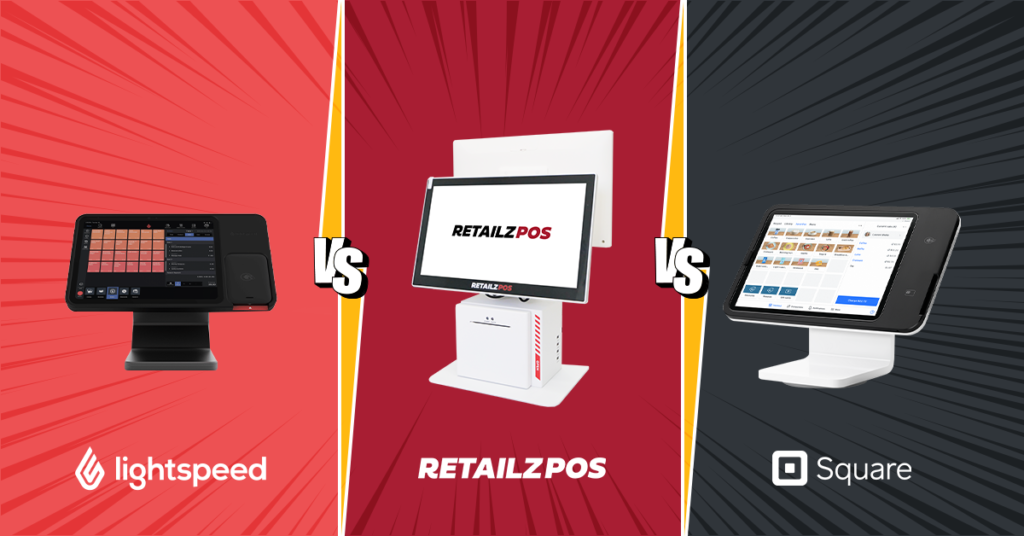
While many point-of-sale software options are on the market, three names that frequently top the list for retail store owners are RetailzPOS, Square, and Lightspeed. Each POS software brings distinct strengths to the table, but they provide very different retail workflows and operational needs.
Let’s learn in detail about these best POS and inventory management software, how they handle modern retail stock, so you can select the perfect match for your store.
Understanding POS and Inventory Management Software for Modern Retailers
Before getting started with specific platforms, it helps to understand: What does top-tier inventory pos software actually look like today?
The time has passed when a POS system was just a digital cash register. Modern retail pos software with inventory management capabilities sits right at the center of your everyday routine. It synchronizes retail sales, backroom stock levels, and automated supplier reordering.
The main features that today’s retail industry looks for are:
- Live stock tracking across all sales channels and locations
- Barcode scanning and SKU-level product management
- Automated low-stock alerts and reorder triggers
- Supplier and purchase order management
- Multi-location inventory visibility
- Detailed reporting and inventory analytics
- Seamless integrations with e-commerce and accounting platforms
Smarter Inventory Management for Less Waste
An advanced POS and inventory system gives retailers better clarity of stock levels, sales patterns, and product movement, making it easier to calculate excess inventory before products become unsaleable, which is a priority for businesses dealing with perishable goods.
When retailers have more accurate information, they can make better purchasing decisions and avoid ordering more stock than they need. Automated tracking helps lower variances between actual and recorded inventory, making inventory control more effective.
With better inventory control, everyone on the floor is clear; it strengthens coordination. Exact sales and stock data help businesses make more sensible decisions, maintain proper inventory levels, and reduce excessive waste. Over time, these improvements can lower operating costs while supporting healthier profits and more sustainable retail practices.
Ultimately, companies that use a retail inventory management system with built-in stock forecasting can improve their profits and can run their business more sustainably.
Note: The global POS market is expanding quickly. Market Reports World estimates it at around USD 36.2 billion in 2025, with a forecast of about USD 91.1 billion by 2034, a compound annual growth rate of 12.23%.
RetailzPOS: The Powerhouse for High-Volume and Multi-Distributor Retail
When it comes to specific retail operations- such as grocery markets, convenience stores, liquor outlets, and high-SKU retail chains- RetailzPOS is built especially as an inventory pos software solution.
Stay up-to-date on stock levels
RetailzPOS gives you a live, up-to-the-second view of your complete inventory, within every register, store, and warehouse. Whether you have a single store or multiple locations, the pos inventory software keeps every stakeholder on the same page. With RetailzPOS, there is no need to worry about adding data manually or managing it in spreadsheets.
Product Variants, Bundles & SKU Management
For retailers, managing details of hundreds of SKUs, sizes, colors, and product bundles is a big and responsible task. RetailzPOS handles these complex product catalogs easily. Each variant is tracked separately, so you always know exactly how much stock is available for each variant-not just the total for the style.
Purchase Orders & Supplier Management
One of the strongest benefits of having RetailzPOS is its built-in purchase order system. You can generate POs straight from the pos sales and inventory system, send them to vendors, receive stock against them, and update your inventory levels automatically, all within a combined workflow. This eliminates the need to switch between different systems
Automated Inventory Alerts
With RetailzPOS, you can set custom reorder points for each product. The pos software will alert you or even trigger automatic reorders when stock falls below the set level. The alerts help in minimizing stockouts without tying up capital in excess inventory.
Inventory Reporting & Business Insights
From slow-moving stock reports to gross margin by category, RetailzPOS gives retailers the analytics they need to make confident buying decisions. Understand your best-sellers, spot dead stock before it becomes a problem, and forecast demand with historical sales data.
RetailzPOS provides clear reports to help retailers make better buying decisions. Track slow-moving products, identify best-sellers, and spot excess stock before it becomes a problem. You can also use past sales data for better forecasting.
Square: Simple, Streamlined, and Startup-Friendly Inventory Tracking
Square POS is a popular choice among small business owners, boutique shops, pop-up stores, and new entrepreneurs. People mostly choose it for its clean design, easy-to-use interface, and quick setup.
Simple Item Library Setup
Square lets you build your catalog by importing items in bulk through the online Dashboard or adding them one at a time. Categories keep the library organized and make reports easier to filter. Stock counts stay in sync between Square Online and in-store sales, a daily email flags low or out-of-stock items, and you can export inventory levels to a spreadsheet. For deeper needs, Square connects with third-party inventory tools.
Accessible Daily Stock Management
With Square, your everyday stock management is handy. Sales and inventory from Square Online are automatically synced with your POS, keeping your online store and in-person sales connected. Retailers receive a daily email detailing items that are low or out of stock. You can export Inventory stock levels at any time to a printable spreadsheet.
Smooth Integration for Essential Workflows
Square’s POS syncs with third-party inventory management software partners for retailers who need more advanced back-office tools. It’s a good fit for retailers who want straightforward inventory tracking today, with room to add specialized inventory software as needed.
Lightspeed: Deep Analytics and Omnichannel Inventory Mastery
Lightspeed is a well-established player in the retail industry. It addresses the needs of complex retail models, apparel stores, and multi-location operations requiring detailed product organisation.
Robust Multi-Variant Product Management
Lightspeed supports products with many variations, such as size and color combinations, and shows inventory across all locations and your online store. Stock can be transferred between stores, and purchase orders can be tied to reorder points. Reports break performance down by supplier and brand and show what to restock, while Forecast mode suggests order quantities from past sales and stockout history.
Multi-Store and Omnichannel Synchronization
Lightspeed connects physical stores with your online store. Managers can see inventory across every location in real time, from anywhere. Stock transfers let you easily share inventory between stores. You can also set up purchase orders and automatically restock to your re-order points, all from Lightspeed.
Detailed Reporting and Forecasting
Lightspeed offers deep reporting tools to guide your buying decisions. Brand and supplier performance reports show which vendors are improving revenue and results.
Replenishment reports make it easy to see what needs restocking and what shouldn’t be reordered. Lightspeed also offers a Forecast mode, which suggests replenishment quantities based on past sales and stockouts, helping buyers make smarter, more strategic purchasing decisions.
Which Retailers Benefit Most from Each POS Inventory Management System?
RetailzPOS may suit you if you run a supermarket, grocery store, liquor store, or convenience store and deal with multiple vendor invoices every day. It also fits if you want tools that track purchase cost history by vendor to protect margins, and clear department-level stock visibility.
Square may suit you if you’re launching a new brand, boutique, or pop-up and want to get started quickly. It fits catalogs that are straightforward and don’t need complex multi-vendor tracking, along with an interface that’s easy for new staff to learn.
Lightspeed may suit you if you run an apparel or specialty store with many size and color combinations. It also fits if you operate multiple locations and need stock transfers, online sync, and detailed sales and replenishment reporting.
Why RetailzPOS Stands Out in POS Inventory Management for Retail
In a crowded market of pos inventory management software options, RetailzPOS has carved out a separate position. It’s the pos system that actually understands retail. Here’s why many retailers are making the switch:
Retail-First Design Philosophy
Every feature in RetailzPOS is built with the retailer’s daily workflow in mind. From how purchase orders are structured to how inventory alerts show up, nothing feels bolted on. This retail-native approach means your team can be up and running, and actually using the system well, faster than with more generalist platforms.
Power Without the Complexity
RetailzPOS delivers sophisticated pos inventory software without piling on complexity. You get strong automation, deep reporting, and multi-location control, all wrapped in an interface your team can actually pick up quickly.
Built to Grow With Your Business
As your store grows, so does RetailzPOS. Add locations, expand your product catalog, bring on more staff; your inventory system is designed to keep pace alongside you.
Support That Knows Retail
RetailzPOS offers round-the-clock support to help with whatever comes up, from configuring reorder workflows to troubleshooting a stock discrepancy.
Conclusion: Choosing the Right POS Inventory Management System
The right inventory platform saves time, cuts waste, and helps you keep shelves stocked. The wrong one adds friction and cost. In short:
- Square is a good starting point for new or small retailers who want a quick setup and simple inventory tracking.
- Lightspeed is well suited to retailers with complex catalogs and multiple locations who want detailed reporting.
- RetailzPOS is built for retailers, especially grocery, convenience, and liquor stores, who need live stock visibility, purchase order management, reorder alerts, and actionable analytics in one platform.
Ready to see how RetailzPOS can improve your inventory operations? Book a demo today.
FAQs
What is POS inventory management?
POS inventory management refers to the process of tracking, controlling, and optimizing stock levels directly through your point-of-sale system. It enables real-time stock updates with every sale, return, or stock receipt, eliminating the need for manual counting or separate inventory tools.
How does real-time inventory tracking work in a POS system?
Every time a transaction is processed, your POS automatically deducts the sold items from your inventory count. Returns add stock back. Purchase order receipts add new stock. This continuous, automated process means your inventory levels are always accurate – without any manual intervention.
Can a POS system manage inventory across multiple store locations?
Yes, many modern POS systems support multi-location inventory management, giving business owners a way to track stock across every store from one place. Features typically include location-level stock visibility, consolidated reporting, and tools to move inventory between sites as needed. If you’re evaluating a pos inventory management software, it’s worth confirming exactly which multi-location features are included, since capabilities can vary quite a bit between platforms.
What’s the difference between basic and advanced POS inventory features?
Basic pos inventory management typically covers stock-level tracking and low-stock alerts. Advanced systems add purchase order management, supplier catalogs, multi-location transfers, demand forecasting, variant-level tracking, and deep analytics – all of which are essential for growing retail businesses.
What is the best POS inventory management software for retailers?
It depends on your business. Retailers with multiple distributors or perishable stock often do well with RetailzPOS. Smaller shops or new brands may prefer something simple like Square. Larger, multi-location chains usually lean toward Lightspeed. The best fit matches the software to how you actually run your store.
How does inventory management software for small business improve accuracy over spreadsheets?
It automates real-time stock updates with every sale, eliminating human entry errors, preventing unexpected out-of-stock items, and providing instant visibility into exact inventory levels and cash flow.