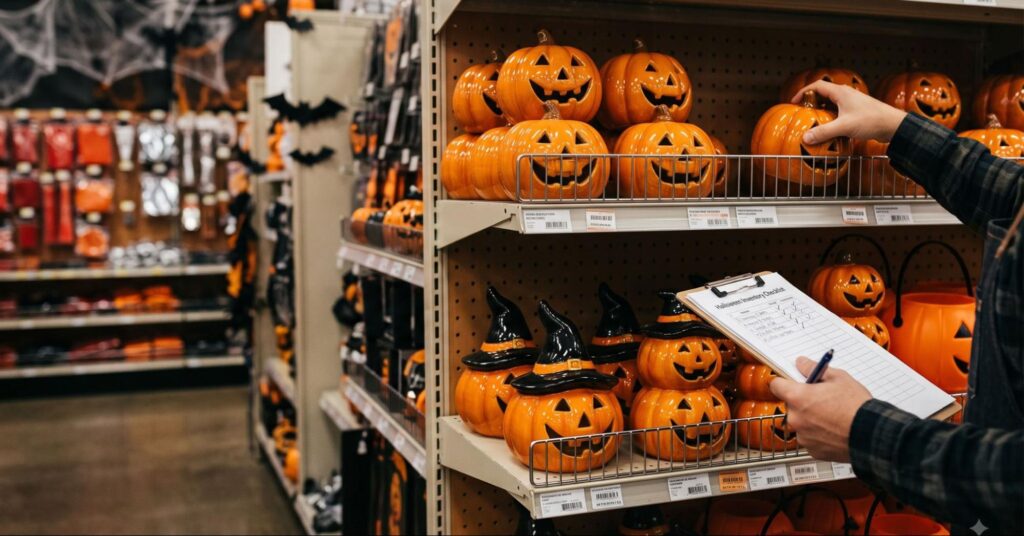
It’s 72 hours before Halloween. Shelves are clearing out, bestsellers are gone, and the checkout line isn’t shrinking. If you’re managing the floor right now, every minute counts.
If you own a liquor store, convenience store, or smoke shop, you know this feeling. Halloween is a month-long season. By the final weekend, shoppers flood in, popular items disappear by evening, and staff lose track of what is in stock. Rushing through tasks leads to missed sales, extra unwanted inventory, and lost customers.
You do not need extra staff or longer hours. You need a simple plan, clear store processes, and a reliable Point of Sale (POS) system like RetailzPOS to organize stock without stress. It helps in Halloween inventory management for retail, easing your sales and checkouiy lines.
(Note: Halloween Spending Set to Smash Records at $13.5 Billion, NRF Reports)
Steps to Manage Inventory for Halloween Weekend
Analyze Your Past Sales Before You Buy Stock
Start with sales history. Look at basic reports from your POS software to find:
- Total product sales from last October versus this September.
- Reports showing which products move out the door.
- Total earnings by product group so you focus on items that bring in actual profit.
This step shows what customers buy most, such as popular drinks, seasonal mixers, snacks, or special Halloween sets.
Set Minimum Stock Limits
Once you have a clear picture of your top-selling items, set guidelines in your system:
- Minimum item numbers for top sellers.
- Reorder days based on delivery schedules.
- Automatic alerts when stock drops low.
With RetailzPOS features, setting minimum numbers for popular bottles, mixers, and seasonal sets is straightforward, so you can reorder goods before shelves sit empty.
Bundle Related Items to Boost Ticket Size
Holiday shoppers want speed and convenience. Pre-packaged product bundles make buying decisions easy while encouraging larger purchases:
- Create combo sets and multi-buy deals to move inventory faster.
- Set up automated POS promotions to apply package discounts right at checkout.
For smoke shops and specialty retailers, utilizing a specialized POS system eases tracking consolidated inventory and creating holiday offers with a simple setup.
Break Down Cases into Single-Unit Inventory
Specialty stores frequently break open multi-packs to sell individual items. Your inventory management software automatically adjusts totals across every product size:
- Link case and unit counts: Keep case and unit inventory in sync with every sale.
- Scan-ready labeling: Use custom barcode tags so single items scan consistently at checkout with the correct shelf price.
Holiday rushes leave no time for manual stock adjustments. POS software like RetailzPOS automates case-to-unit tracking, keeping inventory levels up to date and perfectly in sync as products move off the shelf.
Confirm Supplier Delivery Schedules Early
Late shipments right before Halloween mean lost sales. Map out vendor cutoff dates and lock in your delivery schedules well before the weekend hits:
- Generate Purchase Orders Early: Log POs in your system in advance so suppliers can prioritize your stock and hold best-selling items.
- Monitor Incoming Shipments: Track expected arrival dates and partial orders to spot potential delays before your shelves run low.
- Identify Delivery Gaps Immediately: Catching incomplete or late shipments early gives you time to source backup inventory or adjust floor displays.
Automate Incoming Supplier Invoices
Manually entering vendor invoices wastes hours and leads to costly data-entry errors. Electronic invoicing merges vendor bills straight from your POS system, updating automatically:
- Unit Costs: Reflect price changes immediately to keep your margins accurate.
- On-Hand Inventory: Instantly increase stock counts as soon as shipments arrive.
- PO Statuses: Mark purchase orders as fulfilled without manual cross-checking.
High-volume retailers like liquor stores and convenience stores save hours of backroom paperwork while protecting their margins during busy holiday rushes.
Keep Checkout Lines Moving
Avoid long wait times at the counter during peak hours:
- Use 2D scanners to read barcodes on the first try.
- Set up clear counter hardware: dual-screen terminals, cash drawers, and card readers.
- Allow shoppers to split payments between cash, cards, and store rewards points.
Protect Profit Margins with Smart Register Tools
Busy holiday weekends shouldn’t erode your profits through hidden processing costs or missed cross-sells. Modern checkout software helps you keep more of what you earn:
- Reduce Processing Fees: Manage cash discount and dual-pricing programs right at the payment terminal.
- Drive Basket Size: Utilize automatic combo discounts and loyalty points at checkout to encourage bigger order totals.
- Prevent Stockouts: Built-in low-stock alerts notify your team the moment bestsellers run low, so popular products remain on the floor.
With RetailzPOS, you get the speed and inventory intelligence needed to keep counter lines moving quickly and make the most of every sale this Halloween.
Track Cash and Inventory Daily
Stock loss increases during busy store days. Connect your POS system to security cameras to see receipt details over video clips. This helps you:
- See canceled sales and unusual price changes.
- Review discrepancies using exact timestamps.
- Balance daily cash drawers.
Run cash drawer checks at the end of every shift and review exception reports to catch till mistakes early.
Assign Clear Roles to Store Staff
Clear tasks work better than last-minute rushing. Assign each employee a specific job:
Worker 1: Receives shipments and checks supplier bills.
Worker 2: Restocks items on the sales floor.
Worker 3: Runs registers and helps check out customers.
Use POS system permissions to set who can change inventory counts or apply discounts.
Use Mobile Apps on the Sales Floor
Give managers mobile app access so they can:
- Check stock counts directly on the sales floor.
- Update prices or sale items on the go.
- View main store reports without returning to an office desk.
Checking stock on mobile devices using RetailzPOS lets managers restock items before shortages happen.
What Does Halloween Prep Look Like for Your Type of Store?
Liquor Stores:
Track single bottle sales out of full boxes and update supplier bills directly in your software.
Smoke Shops:
Keep track of items, product sets, and holiday promotions without missing a count.
Convenience Stores:
Keep top-selling snacks and drinks on shelves while clearing register lines during peak store hours.
Ready to prepare your store?
Book a demo with RetailzPOS to explore how built-in features can organize your stock, sales offers, and register setup today.